
The Punjab Government, under the Shops and Establishments Act, allows employers to apply online for permission to engage women workers during night shifts. Here’s a step-by-step guide to help you register and submit your application through the Punjab Labour Department portal.
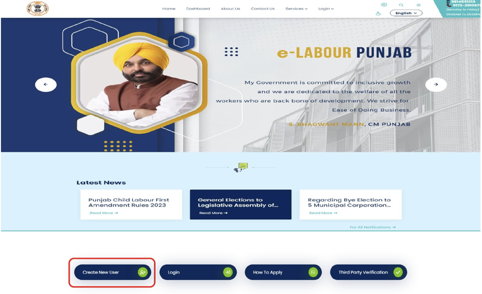
Step 1: Visit the Official Labour Department Website
Open your browser and go to: http://pblabour.gov.in
You will land on the official homepage of the Labour Department, Punjab.
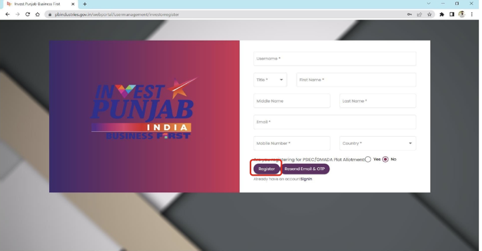
Step 2: New User? Register via Invest Punjab
Click on the Register button and fill in the required details for New User Registration.
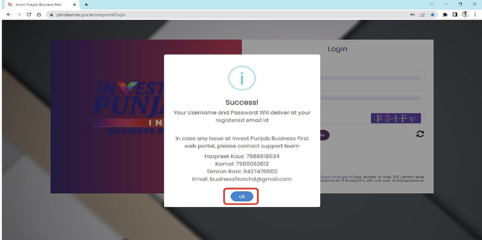
Step 3: Confirm Your Registration
After submitting your details, a confirmation link will be sent to your registered mobile number and email. Click the link to verify and activate your account.
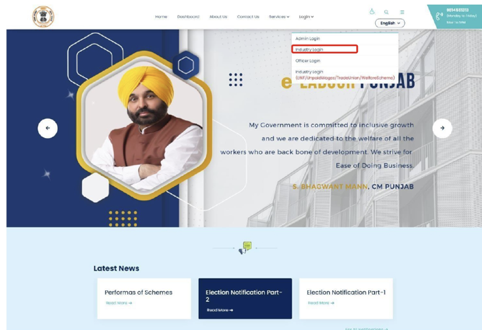
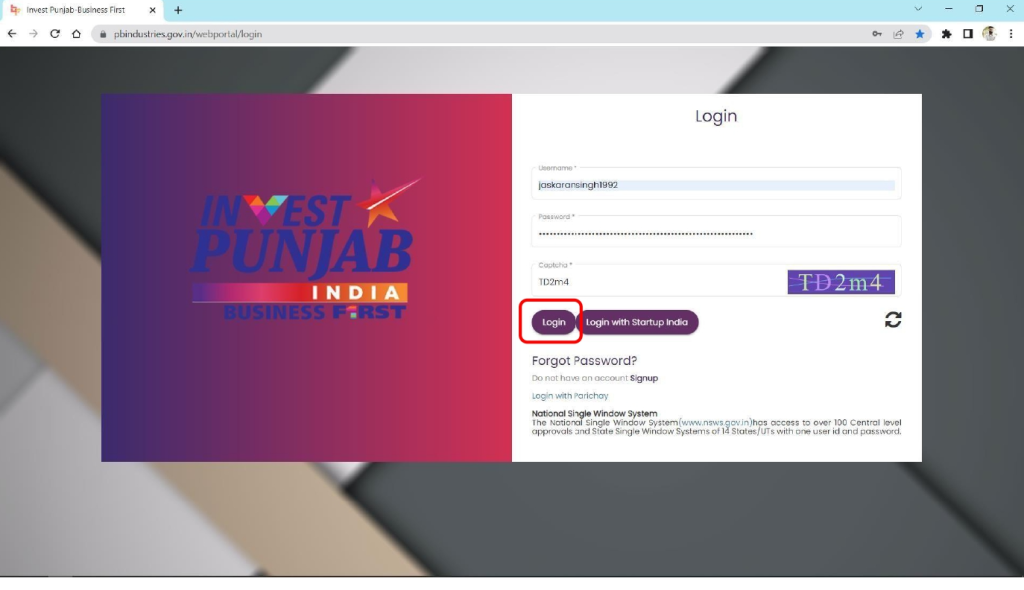
Step 4: Login to the e-Labour Portal
Once registered, go to Login Page or click on Existing User Login or INDUSTRY LOGIN from the top-right menu.
Step 5: Enter Your Credentials
Use your newly created username and password to log in.
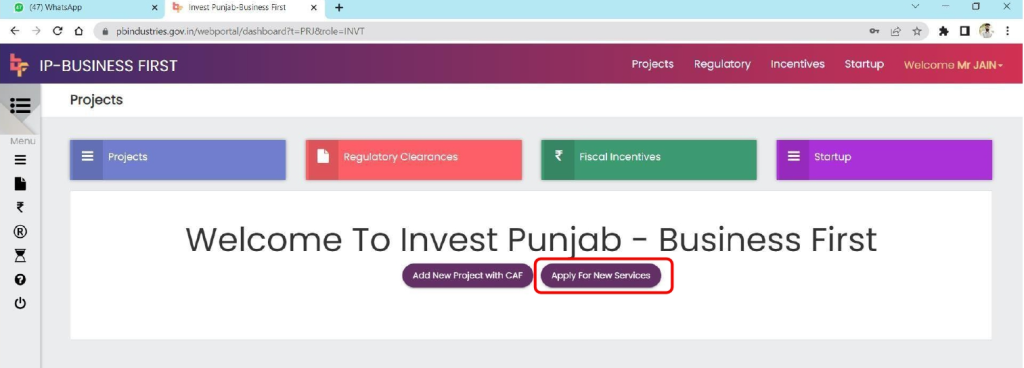
Step 6: Apply for a New S-CAF (Single Common Application Form)
Click on Apply for New Services, then select to apply for a new S-CAF.
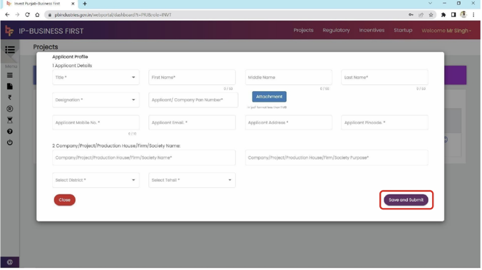
Step 7: Fill in the S-CAF Details
Ensure all required fields are filled accurately in the S-CAF form.
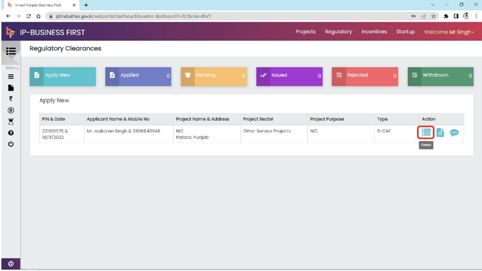
Step 8: Access Your Created File
After filling the S-CAF, go to the Action column and click on the Details icon to proceed.
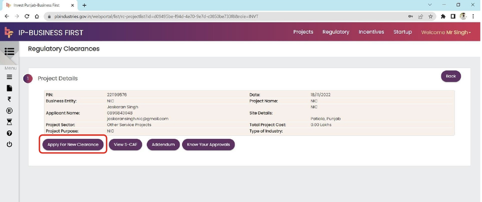
Step 9: Apply for New Clearance
Click Apply for New Clearance to start the application process for your desired service.
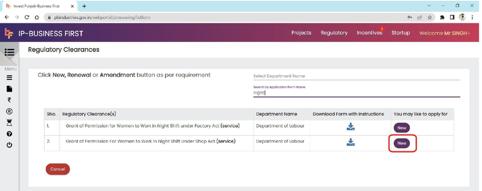
Step 10: Search and Select Your Service
Use the textbox to search for your specific service, such as night shift permission, and select it to continue.
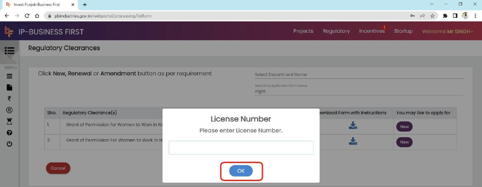
Step 11: Enter Previous Shop License Number
A popup will appear. Enter your previous Shop license number to move ahead.
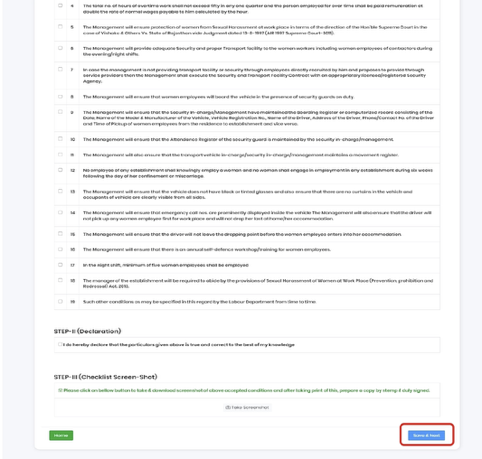
Step 12: Select Required Checkboxes
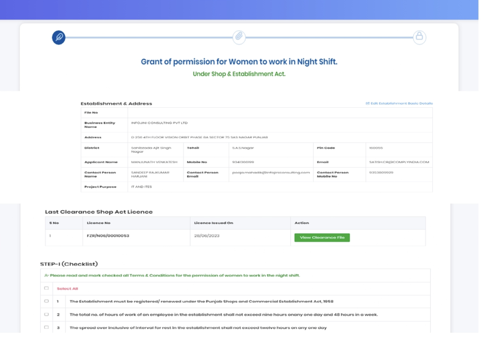
Step 13: Take Screenshot and Save
Click on Take Screenshot, then hit Save and Next to continue.
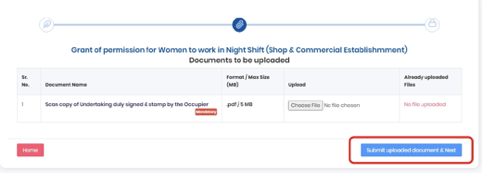
Step 14: Upload Required Documents
Attach all necessary documents as per the service requirements.
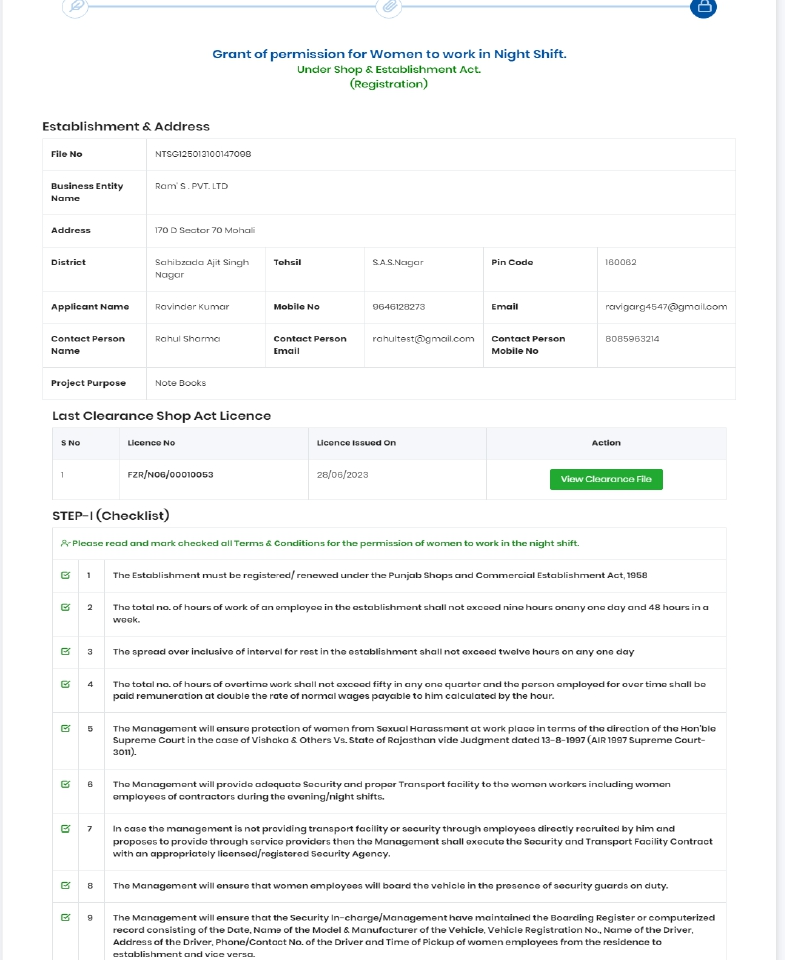
Step 15: Review Your Application
Carefully review all the entered information and uploaded documents.
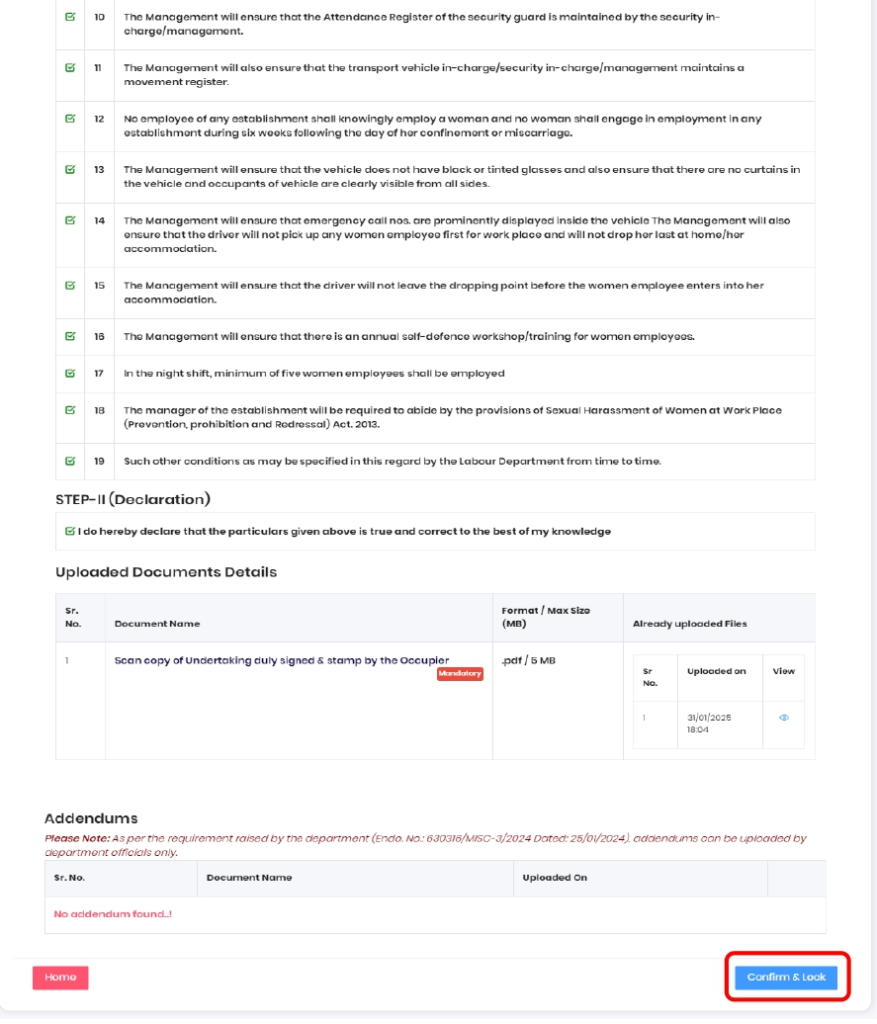
Step 16: Submit Your Application
Once reviewed, click on Save and Lock to officially submit your application.
This process ensures compliance with labour regulations while facilitating safe and legal employment of women in night shifts. For updates or queries, visit the official portal: pblabour.gov.in.